Showing posts with label wedding slideshow. Show all posts

Monday, July 23, 2012

How to make a wedding photo slideshow and burn it to DVD

Wedding is one of the most important thing in our life, wedding means we find our life partner. Nowadays, many people take wedding photos to record the happy wedding moments. Making a wedding photo slideshow and burning it to DVD for playback on TV can be a better way to store these photos.

In a weekend’s night, sit in the sofa and enjoy the DVD wedding slideshow on TV to recall the precious and memorable moments with your mates. When your friends come over, show them your happiness on the big TV screen.

Anyway, it is wise to make a slideshow with wedding photos and music.


wedding slideshow

What preparations do you need to create a wedding music slideshow DVD?
1.Wedding photos
2.Wedding music
3.Wedding photo slideshow software---DVD Photo Slideshow

Why choose DVD Photo Slideshow to create wedding slideshow?

1, Its easy-to-use and user-friendly feature. You just need three steps to make a professional slideshow---Organize Photos, Choose menus, Burn Disc.

2, It allows to add photos by dragging them. So you can easily to import the photos. Also you can add all photos in a folder in time.

3, Text and artclips adding function. With this function, you can edit your photos with text to describe them or add a text slide and add artclips to decorate the photos.

4, Different ways to add background music. Adding background music to a slideshow is not attractive, but what attracts me is that it provides three ways to add background music---Import from PC hard disc, Ripper from Audio CD and Record sound.

5, Stunning album themes for Choosing. A slideshow with a suitable theme can better create the atmosphere. For a wedding slideshow, choose a wedding theme seems good.

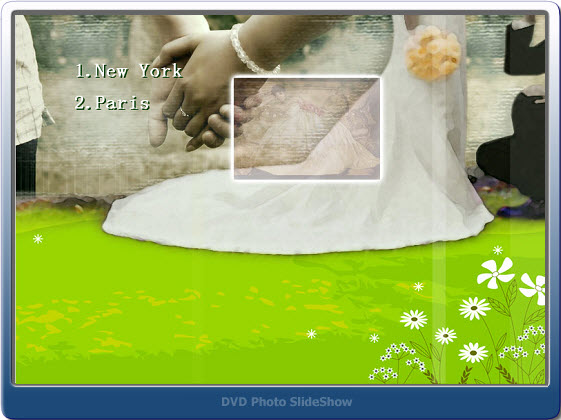
6.Eye-catching DVD menus. You can choose a DVD menu for showing before playing the wedding slideshow video. It can create a better atmosphere.

7. Built-in DVD burning function. After making the slideshow, go to step3, choose DVD output format, then click “Burn now” to burn the slideshow to DVD disc.
After the DVD wedding photo slideshow is finished, you can enjoy it on TV with your friends and families and share your happiness with them.

If you want to create a photo slideshow video and share it on website, such as YouTube, Facebook or blog, you just need to choose other video output formats instead of DVD. The software supports kinds of popular video formats, including mp4, avi, flv, mpg, swf, mov, mkv, even HD video.

Begin to do your wedding photo slideshow DVD now>>

Wednesday, July 11, 2012

Create Everlasting Wedding Slideshow with DVD Photo Slideshow

My fiancée and I have decided to host our wedding ceremony in 2 months. As the exciting day approaches, we do anticipate a remarkable wedding, with best wishes from our families and friends and sincere marriage vow from the better half. We have known each other for more than 4 years and gone through too much in the meanwhile. We have also reached a consensus that the wonderful memories should be recorded in remembrance of our everlasting love.

So what is the best way to get our good old days recorded? As a digital photography fan, the first idea that came to my mind was to burn all our photos into a DVD disc. I then started to collect and sort all our photos and saved them to a folder in my computer. All of them took up to 2GB of my hard drive space. I inserted a DVD disc into my computer and began to burn the photos with the built-in DVD burner in my Windows 7 system. The burning process went very smoothly, yet the result was not that satisfying as expected. This idea failed and I had to give it up.

Actually, what I had expected was a DVD slideshow with all our photos. When playing the DVD on TV with a DVD player, what needed to be shown in front of us was a dynamic photo slide show with theme songs and sort of decoration effects. At this point, the DVD created using the built-in DVD burner in my computer was just too plain and monotone.

After doing a search for DVD slideshow software on Google for some time, I finally got the software I really needed. It was DVD Photo Slideshow developed by Socusoft. I felt so happy as this piece of slideshow software happened to have wedding themes. What's more, it let me put photos from different folders into different albums, in which way I could better organize our photos. For example, I could create an album with all my fiancée's photos, another album with all my photos, and a third album with all our photos. Also, I could make albums by genre of place, year, festival, etc. In total, there were 76 themes that could be used to decorate the albums. Several of them could be applied to a wedding slideshow. Since I was going to make a DVD slideshow, I certainly needed to choose a DVD menu that best fitted the wedding slide show. And there were also wedding menu templates in DVD Photo Slideshow. To be honest, the cool album themes and DVD menu templates were the primary reason why I chose DVD Photo Slideshow among a lot of other similar program.


Like other DVD slideshow programs, DVD Photo Slideshow can create a slideshow with background music, transitions, Pan&Zoom, art clips, text, subtitles and more. I'm not going to elaborate them here. The last point is that DVD Photo Slideshow also lets users save the slideshow project as a video files and it offers optimized presets for popular portable devices such as iPad, iPhone, PSP, Zune, Creative Zen, Mobile Phone and more. As far as I am concerned, I am going to output all my albums in DVD Photo Slideshow to video files for viewing on my newly purchased Galaxy Tab. Hope the output quality won't let me down.

At last, I'd like to say when I presented the slideshow DVD to my fiancée; she was very happy and truly touched by me. All my efforts paid off.

Wednesday, November 16, 2011

How to free create wedding photo slideshows on iPhone

There are numerous reasons to create a photo slideshow and wedding is on the top list. You may need to make photo slideshows for playing during the wedding receptions; you may have the idea of making a slideshow of your favorite wedding photos; or you'd like to create a photo DVD slideshow in celebration of your wedding anniversary...

Today, I'd like to introduce a fairly easy-to-use iPhone app named Slideshow+ Free, which can help you create a wedding slideshow on iPhone with ease and speed.

wedding slideshow app

Now let's take a look at how it performs to make a slideshow of your favorite wedding photos using Slideshow+.

Step 1. Download Slideshow+ Free from iTunes app store

The iTunes link is http://itunes.apple.com/app/id462690585. Or you can search this app in the store by its name – Slideshow+.

Step 2. Launch the app, create a new project and add photos

Launch the app on your iPhone. Click the "New" button to create a new project. Then you can begin your slideshow. Click the "Photo" button on the lower left corner of the interface to go to "Albums", where you can choose to add photos from Facebook Album, Flick Album, Picasa Web Album, iPhone Camera Roll or photo folders in your iPhone.

iPhone wedding slideshow

Step 3. Choose theme and apply transitions

Go to the "Theme" tab to choose a theme for the slideshow. Click the dice icon in the timeline to apply transition effects to the slideshow. Click any of the photos to add text to it or add a blank image and text. Meanwhile you can click the "Settings" tab at the top right of the interface to adjust the photo duration and transition duration for slideshow presentations.

iPhone wedding slideshow app

Step 4. Add background music and theme

Now you can add your favorite wedding songs to the slideshow as the background music. It's easy, just click the "Music" button at the bottom of the interface.

Step 5. Export the slideshow to HDTV

You can click the "Play" button at the bottom of the interface to preview the slideshow and play the slideshow on your iPhone or click the "Export" button to start streaming the slideshow to HDTV.

Thursday, July 21, 2011

How to Prepare Your Wedding Slideshows

At many weddings, couples use video and photos to introduce the bride and groom to their guests. In many weddings, the most popular type of video created is a wedding slideshow. Telling the story of how you met your fiancé is the perfect way to start off your wedding slideshow. You can start your slideshow from the beginning of your relationship. An example would be your first date and even the time of your proposal. If you're hiring a production company, be sure to share all the details and have them take notes so they can convey your story with moving images – Let them know where both of you grew up. Explain the experiences you've shared together, and describe how your love has blossomed over the years. The information you give to the video producer will help him to accurately tell your story of love through the use of photos. Your wedding guests and friends are sure to enjoy watching your story unfold on the big screen at your wedding ceremony.

Sunday, November 21, 2010

Create Photo Slideshow DVD for Wedding

Wedding Slideshow Studio is such a photo slideshow program that allows you to create stunning DVD photo slideshow with your wedding photos, video clips and music. Wedding Slideshow Studio lets you create amazing DVD slideshows and burn them directly to a DVD-R/RW, DVD+R/RW disc. You can play the ready-made DVD video disc on your TV with a DVD player.

With Wedding Slideshow Studio, you'll produce personalized discs that are as easy to use as an ordinary DVD. With more than 260 transition effects, customizable pan and zoom effects, you can easily share your love stories and excitement of your wedding day with your friends and family.

With Wedding Slideshow Studio ( http://www.wedding-slideshow-studio.com ) you can quickly and easily produce professional-looking DVD movie discs featuring your own wedding photo slideshows and home videos. The program's simple 1-2-3 step-by-step user interface enables users of all levels to build custom slide shows, design DVD menus, and burn discs for sharing on TV screen with a DVD player.

Wedding Slideshow Software

Wedding Slideshow Studio Key Features:

1. Professional DVD Menu

Wedding Slideshow Studio integrets a set of pre-designed DVD menus for you to choose from. DVD slideshow menu enables you to jump to any part of your wedding photos quickly. You can customize DVD menu by using your own background image and background music.

2. Dynamic Transitions, Ken-Burns Effects

Hundreds of transition effects can be used for photos and make your photo alive. You can customize the pan and zoom effect, transition style, transition duration easily.

3. Convert Photo to Movie, Burn Photo to DVD

With built-in DVD burning function, wedding slideshows can be burned to DVD disc within the software. It supports DVD-R/RW, DVD+R/RW disc burning and can also output MPEG, MP4 video files for iPad, iPod, iPhone, PSP, photo slideshow for web, FLV video for YouTube, etc.

You can download Wedding Slideshow Studio from http://www.wedding-slideshow-studio.com and start creating your amazing Wedding Slideshow DVD.